
Feature Focus – AI Cameras
May 21, 2026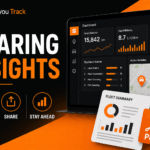
Feature Focus – Sharing
June 19, 2026Article | Feature Focus – Dashboards
Written by: Chris Knowles, Technical Director
Feature Focus – Dashboards
Command Your Data: Build the Ultimate Fleet Dashboard
In modern fleet management, seeing the “big picture” shouldn’t mean clicking through dozens of tabs. You need the right information, in the right place, at the right time. Our Custom Dashboards module within Pay as you Track View turns your screen into a personalized mission control centre, allowing you to tile together the exact data points you need to stay ahead.
Whether you want a high-level fleet overview or a granular look at specific high-priority vehicles, our dashboards are built to be flexible, dynamic, and incredibly easy to set up.
Your Fleet, Your Way: Total Customization
A dashboard is like a blank sheet of paper [01:43]. You decide what goes on it and how it’s arranged. Our module allows you to mix and match different data types in a single, unified view:
Instant Reports: Embed key performance data so you can track mileage, idling, and job completion alongside your live maps [04:28].
Live Maps: Add real-time maps for your entire fleet or focus on a single vehicle. The system even remembers your zoom level and “follow” settings [03:00].
Historical Maps: Compare today’s progress against past routes to identify trends and efficiencies.
Video Snippets & Live Feeds: Keep eyes on the road with integrated video clips and live camera feeds directly on your dashboard [00:20].
Designed for the Office Wall
Dashboards are the perfect partner for the “big screen” office environment. With our Auto-Arrange feature, you can instantly tile your items to fit your current screen size [00:30]. If you prefer a more hands-on approach, you can manually drag, drop, and resize every element to highlight what matters most [00:39].
Imagine having a 4K monitor in your office displaying a large overview map of the UK, flanked by smaller live feeds of your most time-sensitive deliveries. That is the power of Pay as you Track View.
Multiple Dashboards for Multiple Goals
One size rarely fits all. That’s why we allow you to create multiple dashboards and toggle between them instantly [01:16]. You might have:
- An Overview Dashboard for general fleet monitoring.
- A Regional Dashboard focusing only on vehicles in the South.
- A High-Priority Dashboard for tracking specific high-value assets or “naughty” drivers who need a closer eye [02:54].
Best of all, these dashboards belong to you personally [01:29]. You can set them up exactly how you like without affecting how your colleagues view their data.
Pay-As-You-Go: Enterprise Features, Flexible Pricing
As with everything at Pay as you Track, these advanced dashboard features are included in our “pay as you go” model. You get the sophisticated tools of an enterprise-level logistics firm with the flexibility of a no-contract, transparent pricing structure.
Why This Matters for Your Business
- Information at a Glance: Stop hunting for data. Everything you need is on one screen, updated in real-time [00:14].
- Personalised Productivity: Create a workspace that matches your specific role and responsibilities.
- Dynamic Reporting: With “Kiosk Mode” enabled, your dashboards become truly hands-free, rotating through live updates automatically [04:33].
- Professional Presentation: Show off your operational efficiency on a large screen to impress visiting clients and keep your team motivated [04:01].
Talk to Pay as you Track on 0151 914 5500 to discuss our solution or contact us at [email protected]
Ready to build your first dashboard? Watch our Dashboards Tutorial here